Is Microdrama App Safe Before You Download or Pay?
Wondering is microdrama app safe before you install or pay? Learn how to verify apps, spot billing risks, and protect your privacy.
A microdrama app can be safe to try, but only after you check the publisher, download source, pricing, and permissions. The biggest risks are usually not dramatic "phone hacked" scenarios; they are fake lookalike apps, confusing coin systems, auto-renewing subscriptions, and unnecessary data collection. If you cannot verify who runs the app or how it charges, do not install it or pay.
Is a microdrama app safe?
Some microdrama apps are real entertainment apps distributed through major app stores. Others copy familiar names, push unclear payment offers, or ask for access that does not match simple video streaming. The safest way to judge one is to treat the app itself, not the whole category, as the thing you are checking.
For a casual viewer who only wants to watch a few free episodes, the risk is lower if the app comes from an official store and does not require payment details upfront. For someone planning to binge a full series, the payment model matters much more because subscriptions and coins can add up quickly.
Official apps can be legitimate
An official app from a recognizable publisher on the Apple App Store or Google Play is usually a safer starting point than a random download link. Store listings give you a developer name, privacy labels, reviews, version history, and a way to report problems.
That still does not mean the app is automatically worth using. A legitimate app can have heavy ads, poor customer support, aggressive unlock prompts, or broad tracking. Treat "official" as the first pass, not the final approval.
Privacy and payment risks still vary by app
Two real microdrama apps can feel very different in practice. One may be mostly free with ads, while another may rely on weekly subscriptions, paid coins, or episode unlocks. A paid model is not automatically unsafe, but it does create a clearer spending risk.
- Light use: watching free episodes without linking extra accounts is usually the lowest-risk setup.
- Regular binge watching: check the real cost of unlocking a full series before buying coins.
- Shared phone or family device: avoid saved payment methods and turn on store purchase approval.
The publisher and download source matter most
If you only check one thing, check where the app came from and who published it. Search for the app inside the official store yourself instead of following a social ad or pop-up link. Then compare the developer name, website, privacy policy, and screenshots with the brand you expected.
A vague publisher, broken support link, mismatched branding, or pressure to pay before you understand the service is enough reason to stop. Average star ratings are useful, but they should not outweigh unclear ownership.
How can you spot a fake microdrama app?
Fake microdrama apps often give themselves away before installation. The warning signs usually appear in the name, icon, download link, developer details, permission requests, or payment flow. Do the identity check first, because it saves you from fixing privacy or billing problems later.
Copycat names and icons
Look closely at names that are almost the same as a known app. Copycats may use a similar logo, a slightly changed spelling, or generic drama artwork to catch people who are scrolling quickly. If the screenshots, app name, and publisher website do not feel consistent, assume it needs more checking.
Unofficial APK download links
A direct APK from a random website is a bad tradeoff for a short drama app. You may be trying to access a region-limited release early, but you also lose store-level checks, billing controls, and easier reporting. If the app is not available through an official store in your region, waiting is safer than installing a mystery file.
Missing or unclear developer information
A trustworthy listing should make the developer easy to identify. Check for a real publisher name, working support contact, privacy policy, and linked website. If the app claims to be connected to a known brand but the listed developer is unknown and hard to verify, do not rely on the app name alone.
Excessive permission or payment requests
A streaming app should not need contacts, call logs, constant location, or microphone access for basic viewing. Notifications may make sense, and limited storage access may make sense if downloads are offered, but unrelated permissions should be denied.
Payment pressure is another red flag. Be careful if the app asks for a subscription before you can browse, hides coin values, or pushes a limited-time offer before explaining what you are buying.
- Stop if ownership is unclear. Do not install first and investigate later.
- Pause before buying coins. Work out what one full series may cost.
- Deny unrelated permissions. If playback breaks without them, that tells you something.
Are microdrama apps safe for your privacy?
Privacy safety depends on how much data the app collects and how much control it gives you. Short drama apps may track viewing habits, purchases, ad interactions, device identifiers, and account activity. That is common in mobile entertainment, but it is still worth deciding whether the tradeoff feels reasonable for a casual viewing app.
The privacy risk is higher if you link social accounts, allow tracking, save payment details, and use the app daily. It is lower if you use a separate email login, limit permissions, and avoid unnecessary personalization features.
Check what personal data the app collects
Before installing, open the app store's data or privacy section and look for categories such as contact info, identifiers, purchase history, location, app activity, and diagnostics. You do not need to read every legal line first; the quick question is whether the data collected makes sense for watching short videos.
Limit unnecessary account connections
Some apps encourage login through an existing social account because it is fast. That convenience can also connect your viewing behavior with another platform. If email sign-up is available and you do not need social features, it is often the cleaner choice.
For apps that appear to require a linked account, check the login screen carefully before continuing. If you are not comfortable connecting that account to your viewing history or purchases, choose another app instead of accepting the connection by default.
Review tracking and data-sharing settings
After installation, spend a minute in both the app settings and your phone privacy settings. Look for ad personalization, tracking permission, background activity, notifications, and account linking. Turning off what you do not use will not make a bad app trustworthy, but it can reduce unnecessary exposure.
Avoid permissions unrelated to streaming
For normal viewing, internet access and perhaps notifications are usually enough. Location, contacts, microphone, camera, and broad photo access should have a clear feature-based reason. If the app keeps asking for access you already denied, or blocks basic playback unless you approve unrelated permissions, uninstalling is the sensible move.
How can you use microdrama apps more safely?
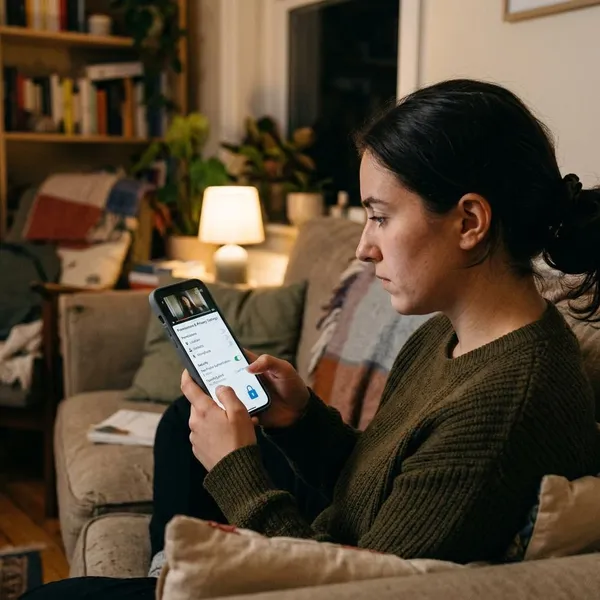
The safest routine is simple: verify first, pay slowly, and remove access you do not need. This matters most when an app is new, heavily advertised, or tied to a brand name you recognize but have not personally checked.
Download only from official stores
Use the Apple App Store or Google Play whenever possible. Official stores are not perfect, but they give you a safer download path, visible publisher details, privacy disclosures, review history, and platform support if something goes wrong.
Read pricing before unlocking episodes
Microdrama pricing can be more confusing than it looks. Free opening episodes may lead into coins, subscriptions, bundles, or timed offers. Before unlocking anything, check whether the charge is one-time or recurring and whether coins translate into a clear real-world cost.
| If the app uses... | Check before paying |
|---|---|
| Free episodes | Whether later episodes require coins or a subscription |
| Coin bundles | How many coins a full series may actually need |
| Weekly subscription | The renewal date and cancellation path |
| External payment page | Whether you trust the company enough to enter card details |
Use store-based subscription controls
When you do subscribe, using Apple or Google billing usually gives you a clearer place to cancel, check renewal dates, and dispute problems. This is especially useful for weekly plans, which are easy to forget after a short binge.
- Open the app's official store listing and confirm the developer.
- Check whether payments run through the app store or an external page.
- After subscribing, immediately find the cancellation screen so you know where it is.
Remove permissions you do not need
If you already installed the app, go back through your phone settings and remove anything that does not support how you actually use it. Notifications, location, contacts, camera, microphone, photos, and background activity are worth checking.
Conclusion
A microdrama app is safe enough to try only when the publisher is verifiable, the download comes from an official store, the pricing is clear, and the permissions make sense for streaming. If you feel rushed to install, link an account, or buy coins before those basics are clear, skip it; short episodes are easy to replace, but a messy subscription or privacy problem is much harder to unwind.
FAQS
Are microdrama apps free to watch?
Some are free to start, but many charge later through ads, coins, subscriptions, or episode unlocks. Treat "free" as "free to begin" until you have checked the pricing screen.
Are coin-based drama apps safe to pay for?
They can be safe if the app is legitimate and billing is transparent. The practical risk is overspending, so estimate the cost of finishing the series before buying a bundle.
Can microdrama apps charge you automatically?
Yes, if you start an auto-renewing plan. Check your Apple or Google subscription settings after subscribing so you know the renewal date and cancellation route.